Validating data with pointblank in python
Nothing is more gut-wrenching than realizing that there is an error in a dataset that was used to make a critical decision. Team members may start scrambling and ask questions like:
- Does this change the conclusion of the analysis?
- Will people think the entire analysis is wrong?
- How did this mistake happen, and who is to blame?
Once these questions are answered, there really isn’t a solution for how to do better next time aside from “be more careful”. As all humans make mistakes, nothing changes and the cycle repeats after the quadruple check reverts to a double check. Fortunately, machines are really good at reviewing massive amounts of information in short periods of times, and one recently released library for R and Python is built around exactly this process.
Pointblank is supported by Posit, the same folks behind R Studio, and Positron. The purpose of Pointblank is to define a set of checks that a dataset must pass, and then produce useful validation reports that can be reviewed by an analyst.
Installing Pointblank
Pointblank runs as a library that you import into a python script. It is available through pypi and can therefore be installed through pip or uv.
If you are using uv, install it in your python project with
uv add pointblankIf you are using pip, you can install with
pip install pointblankPointblank works with both pandas or polars. If you haven’t tried polars yet, I would recommend giving it a go. I find the API to be a lot more intuitive once you get used to it, in comparison to pandas.
Common workflows
I’ll provide an example using a dataset that simulates Starbucks ordering patterns from Kaggle. We first load the dataframe into python as a dataframe.
import pointblank as pb
import polars as pl


def main():
    df = pl.read_csv("input_data/input-data.csv")
    print(df)


if __name__ == "__main__":
    main()
Running uv run main.py then prints out our dataframe as expected.
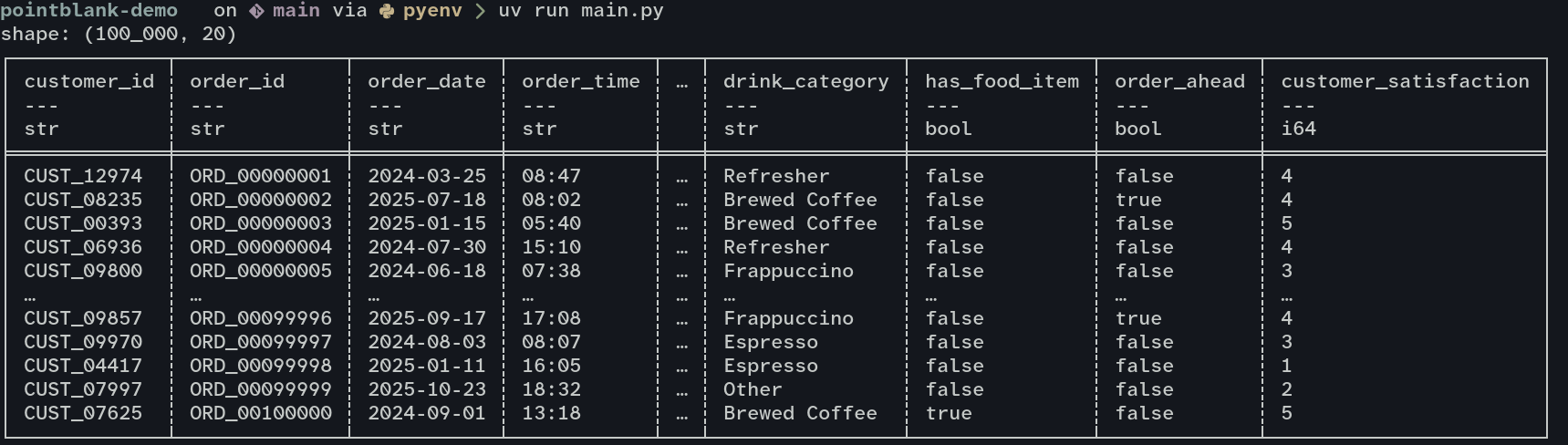
Next, we just add some validation steps to make sure the columns are setup for analysis. Note that we can use some features of polars to reduce the amount of work we need to do with pointblank. Since polars has alrady identified the type of some columns, we don’t need to verify that those types can apply to all rows. Polars would have produced an error if it got to a row that didn’t match the type it guessed the column should be based on the first 1000 rows[1]
One of the most common and most annoying problems is when an id column doesn’t have unique values. We can check that both customer_id and order_id contain unique values through a simple validation, then show the results in a validation report.
def main():
    df = pl.read_csv("input_data/input-data.csv")

    # Are customer and order ids unique?
    validation = (
        pb.Validate(data=df)
        .rows_distinct(columns_subset=["customer_id", "order_id"])
        .interrogate()
    )
    validation.get_tabular_report().show()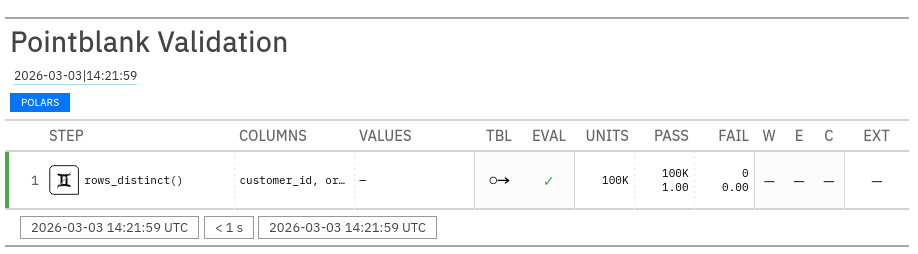
The idea is that you can keep adding additional validation checks and have everything run in a single step. The report above then contains one row for each of your checks. You can use Pointblank to compare columns with each other, compare to specific values, or check that a column fits a regex pattern. For a full list of all the validation methods available, consult the validation methods documentation.
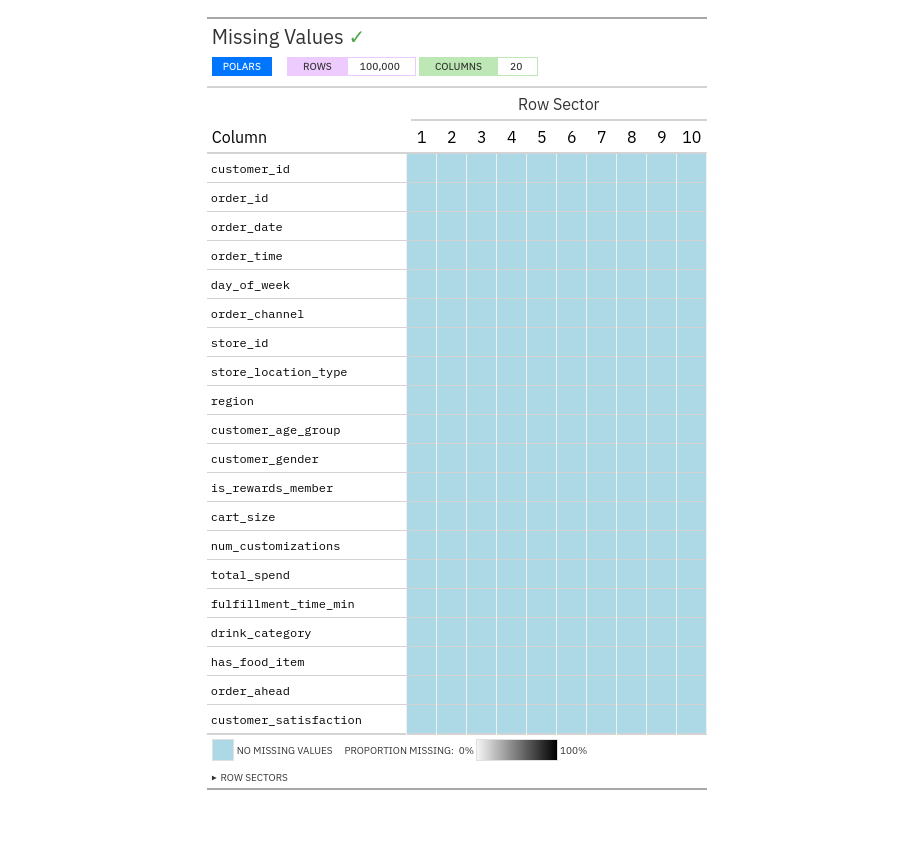
Another common request is to check for the distribution of missing data within a dataset. Pointblank makes this easy with missing_values_tbl
def main():
    df = pl.read_csv("input_data/input-data.csv")

    # Check that some basic assumptions about the columns are met
    # Are customer and order id's unique?
    validation = (
        pb.Validate(data=df)
        .rows_distinct(columns_subset=["customer_id", "order_id"])
        .interrogate()
    )
    validation.get_tabular_report().show()

    # How are missing values distributed?
    pb.missing_vals_tbl(df).show()
This will show us a report in the browser similar the valudation report we ran before. Since we are using a synthetic dataset, there are no missing values.
Using pointblank in automated pipelines
While manually inspecting data is fun, the main point of this exercise is to automatically catch errors in our data, and most automation will happen in CI/CD pipelines. Here Pointblank brings a command-line interface that behaves similarly to how Pointblank works in a python script.
First, make sure that Pointblank is available through the commandline with pb --version. If you installed with pip globally, then it should be available no problem. If you installed with uv, you can either use uv run pb within the project directory, or install the tool globally with uv tool install pointblank
Next, let’s try to run the same uniqueness check we ran in the python script, but this time straight from the shell. Note that polars or pandas need to also be available in whatever environment you are running the command. If you install Pointblank globally then you will also need to install pandas or polars globally as well. I would recommend using uv to keep things tidy.
uv run pb validate 'input_data/input-data.csv' --check rows-distinct --column customer_id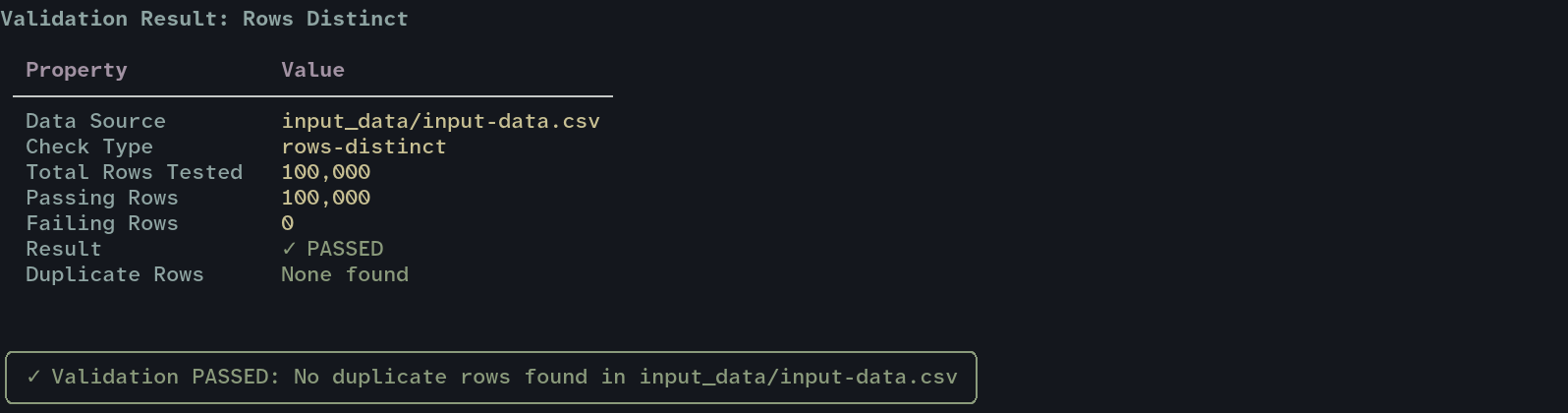
In a CI pipeline, you can use --exit-code so that Pointblank will exit with a non-zero code if any check fails.
This value, 1000 rows, is configurable through
infer_schema_lengthwhen usingread_csv. Polars documentation ↩︎