How to run a python script with uv in a cron job
If you are using uv to manage your python dependencies, you may run into difficulties when trying to execute a script from within a cron job, as the virtual environment has to be activated first. If you came for a quick answer, the solution is below. The key points are that you should use the full path to the uv binary, and that you should use the --project flag to ensure that the virtual environment is active when running the script. You can find the location of the uv installation by running which uv.
Your crontab would look like this. To open the crontab for editing, run crontab -e, and it should open in your editor of choice. The below would run every minute (useful for testing). Change user to be the user on your computer, and filepaths as appropriate.
* * * * * /home/user/.local/bin/uv run --project /home/user/code/test-cron /home/user/code/test-cron/main.pyIf you are looking for a guide on converting the crontab syntax into easier to understand time periods, you are welcome to use this tool.
A simple test script
If you are looking for something nice to test with, you can use the code below, which will generate a fictious dataframe and timestamp the output using pointblank’s test data generation functionality. If your cron job is setup successfully, you will see a new csv file created every minute.
import pointblank as pb
from datetime import datetime


def main():
    schema = pb.Schema(
        user_id=pb.int_field(min_val=1, unique=True),
        name=pb.string_field(preset="name"),
        email=pb.string_field(preset="email"),
        age=pb.int_field(min_val=18, max_val=80),
        status=pb.string_field(allowed=["active", "pending", "inactive"]),
    )

    df = pb.generate_dataset(schema, n=100, seed=23)
    df.write_csv(f"/home/user/test-cron/test-table-generated-at-{datetime.now()}.csv")


if __name__ == "__main__":
    main()
Managing cron jobs easily
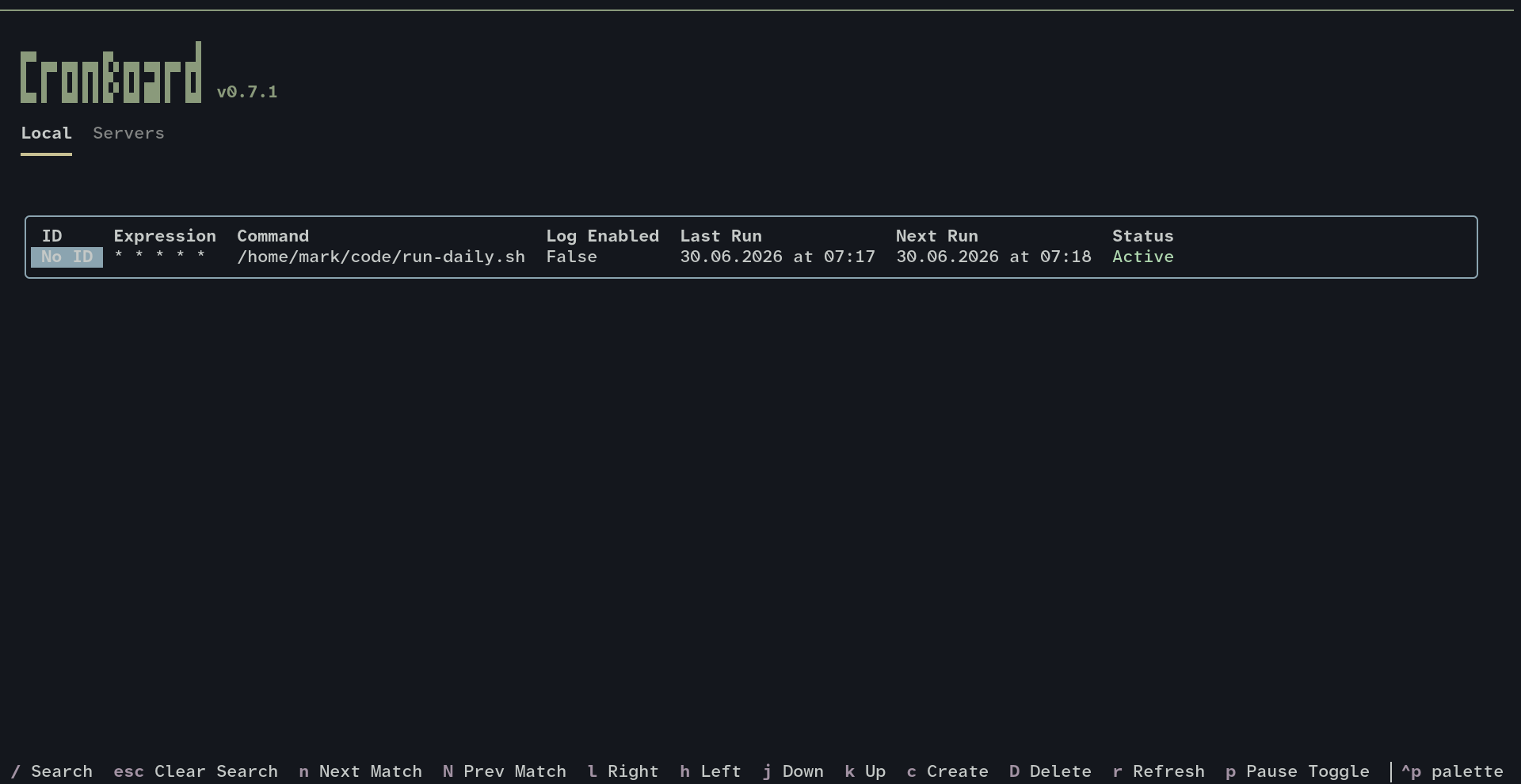
If you are looking for something more user friendly than editing the crontab directly, consider cronboard which will give you a nice TUI to view existing jobs, and some handy shortcuts when entering new jobs, such as @daily and @weekly. Of course, it will also pick up existing cronjobs, like the test one created above.
Conclusion
That’s it, a short blog post but one that I hope helps the next person looking for the solution to this particular problem.