A self-hosted music setup that rivals spotify
Ever since starting my own music collection I have wanted to try streaming it with Navidrome, however hosting it on a VPS was tricky for a couple of reasons. First, the bandwidth would be a lot higher because I would be streaming high bitrate tunes quite often (I listen to music for hours a day). Second, I would want to lock it down quite heavily to prevent getting hit with a lawsuit for distributing copyrighted material (even if unintentional). This problem seemed like it would forever be a dream until I started exploring self-hosting just within my local network. Now, I’ve repurposed an old mini-pc to be a debian-based homeserver that hosts my music collection. This isn’t something revolutionary, thousands of people self-host their own media servers on a NAS, but it was new to me.
Note: This post won’t include instructions to install Navidrome or setup a home server (there are enough of those already!). Rather, I want to highlight some great apps that can go with Navidrome to create the overall experience. If you want a really quick setup from Navidrome, the minimum compose.yml setup is below. You’ll setup the admin user after visiting the web interface for the first time.
services:
  navidrome:
    image: deluan/navidrome:latest
    user: 1000:1000 # should be owner of volumes
    ports:
      - "4533:4533"
    restart: unless-stopped
    environment:
      # Optional: put your config options customization here. Examples:
      # ND_LOGLEVEL: debug
    volumes:
      - "/path/to/data:/data"
      - "/path/to/your/music/folder:/music:ro"
The setup
In addition to having the main music server, I also wanted to access music in all the places I would access something like Spotify, particularly my desktop, my phone, and my TV (through Apple TV). While using the web application straight from Navidrome itself would always be an option, I was pleasantly surprised that there are some great music clients out there that integrate with a self-hosted setup. When I say great, I truly mean it, in some instances the client is even better than the Spotify one.
Desktop
For listening on the desktop, I plan on using feishin. This is a NextJS project, and can either run as an electron app or in the browser, connecting to Navidrome as the backend. It can be run as an AppImage and installed through the following script (includes installation of the app icon etc). For additional options, including options for Wayland or a Docker installation, consult the README
dir=/your/AppImage/directory
curl 'https://raw.githubusercontent.com/jeffvli/feishin/refs/heads/development/install-feishin-appimage' | sh -s -- "$dir"
I’ll be keeping an eye on TerminalDrome. It looks promising, but seems to be more a hobby project at the moment (which is great too!). If you are a Rust expert, perhaps forks or contributions would make this a great choice for you.
Mobile
I was blown away by an app called Symfonium. A forewarning, this app isn’t FOSS and you do have to pay a one-time $7 fee to grab it from the app store, but it’s clear that this money gets put to good use. The app is beautiful, works really well, and allows you to integrate with a Navidrome backend.
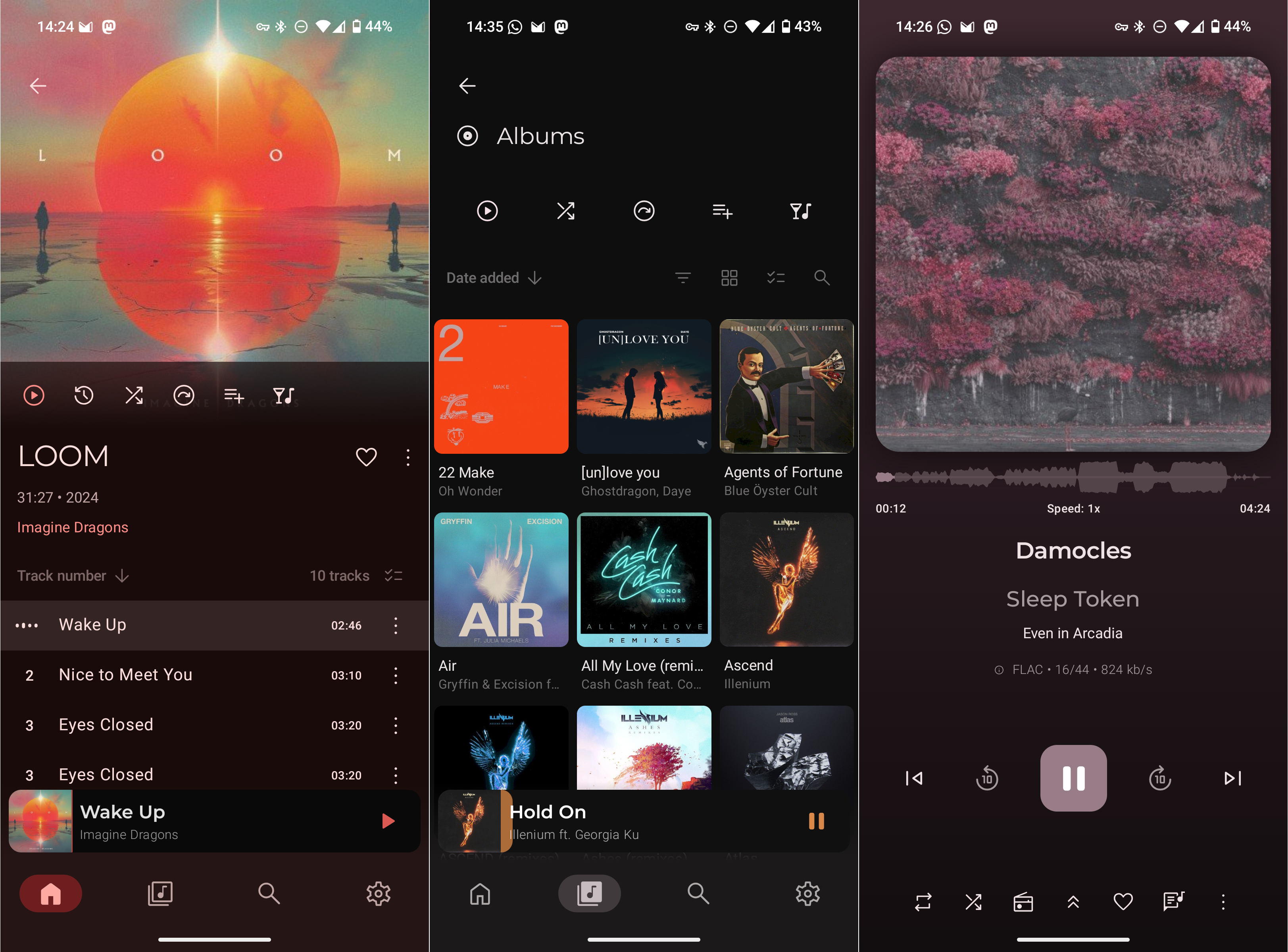
In addition to looking nice, it comes packed with features including equalizer settings, offline listening (via configurable caching), and casting to smart TV devices.
Smart TV
The one piece of functionality that I didn’t think I would be able to match was listening to music through the Apple TV (now about… 6 years old?). Yet, the internet pleasantly surprised me once again with SubSwift. Note, this app isn’t as impressive as Symfonium, and was slightly buggy, but it’s developed by a single person trying to solve a problem for himself so I don’t have any complaints. This app also isn’t free (costs $5 USD), with the developer trying to cover the 100 dollars/year cost for the apple store.
Tagging music
One of the main lessons from setting all of this up is how important it is to have music accurately tagged. Playing music from an app where you can search by album or artist is useless if those properties aren’t present. Having album artwork also really helps when searching quickly through the interface.
This problem is best handled at the source, by purchasing music from providers that are good at providing accurate and complete metadata. I’ve found 7digital to be the best, and beatport to not include information about multiple artists very well.
If you need to fix music tags after the fact, picard is the tool you will want to reach for. Below are some handy steps to mount your music library from another machine via sshfs and begin tagging.
# First, make a directory to serve as a mountpoint
sudo mkdir -p /mnt/remote_music

# Mount the directory
sudo sshfs -o allow_other,default_permissions user@music.example.com:~/Music /mnt/remote_music
Then, open up the directory through picard
picard /mnt/remote_musicFor a full explainer on how to use picard to tag music, see this blog post. You don’t need to solve all missing info at once, even fixing one or two a day can feel like a great accomplishment.
Conclusion
A weeknight or two of work and voila, a functional music experience on all my devices through a single music source that is easy to backup. When I buy new tunes, I simply use rsync to send them to the server and like magic the song is everywhere at once.